Learn a language by reading real stories
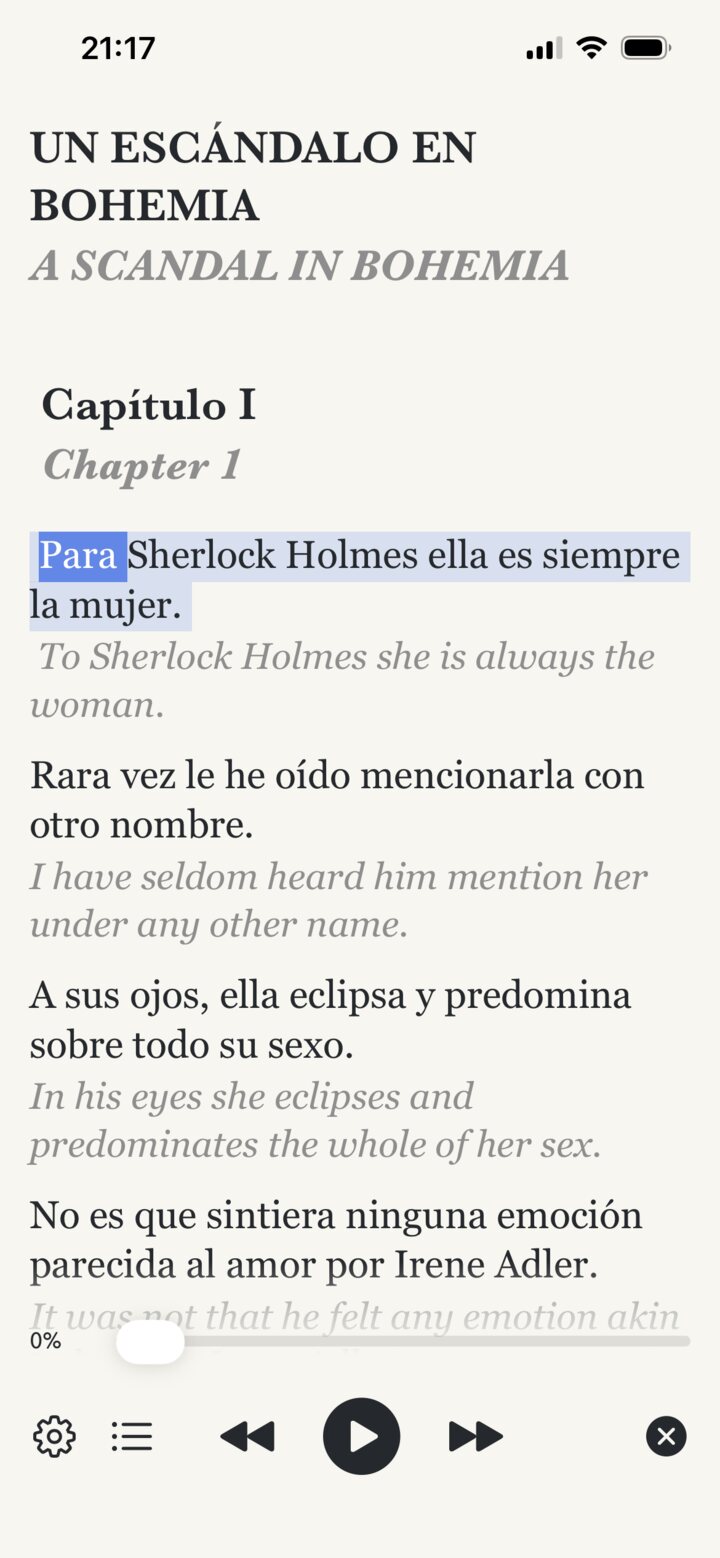
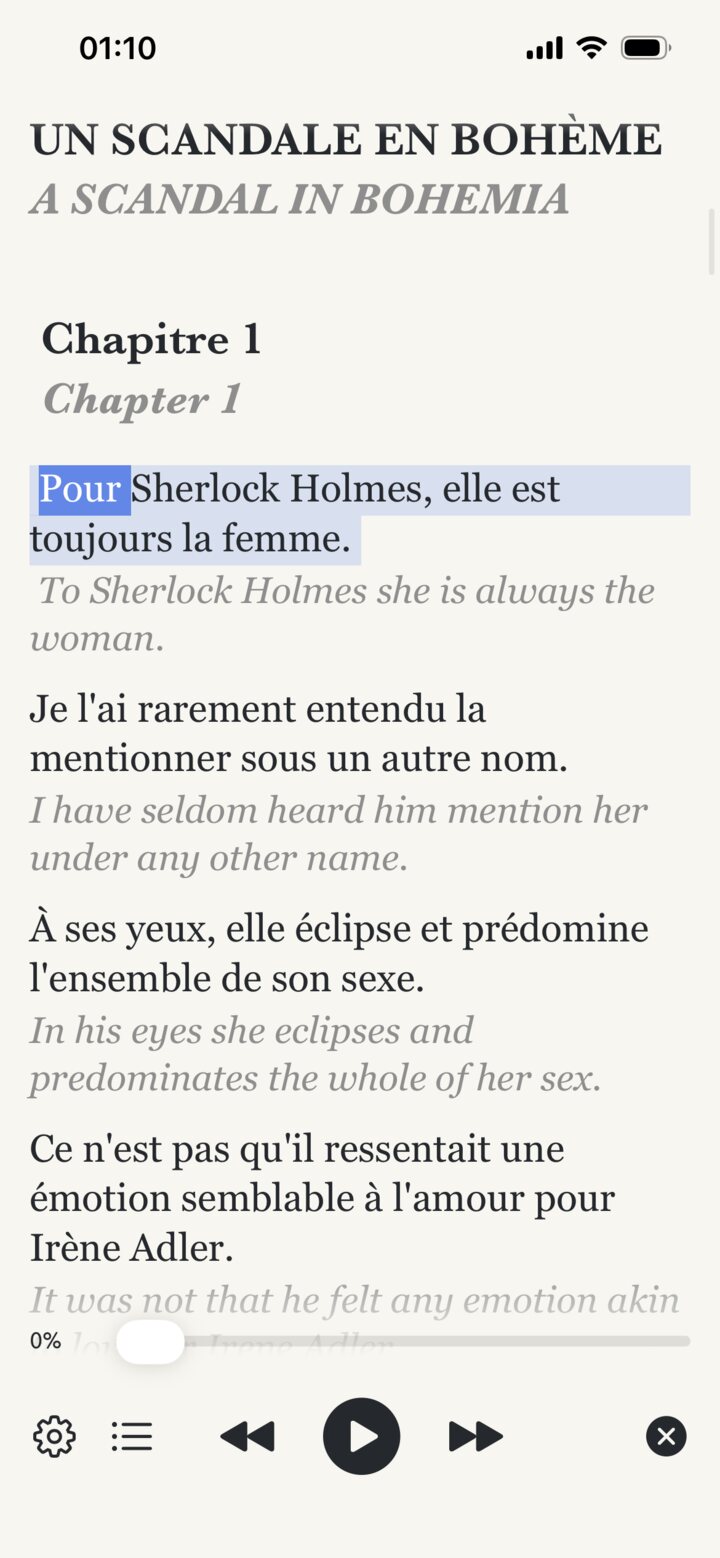
Every sentence comes with its translation right underneath. Long-press any word for just that one. Seven languages, free to start.
El río fluye hacia el mar.In the app this sits under every sentence of a real book.

Scan to install on your iPhone
- from 250 App Store ratings worldwide
- 4.8
- languages to read in
- 7
- books, graded Easy to Hard
- 61
- to download and start
- Free
from 250 App Store ratings worldwide
languages to read in
books, graded Easy to Hard
to download and start
I love the mix up of all the different methods. … It translate to English automatically so you can see it and hear it. … I felt like I could do this and actually learn without being frustrated.
Melzmayzie · United States This app is a simple but effective aid to language learning. You can read and/or listen to source and target language side by side to aid your comprehension.
IrishMike2020 · Ireland Очень крутое приложение, особенно параллельные книги.
Really cool app, especially the parallel books.
persikovalo · RussiaTranslated from Russian
Three steps and you are reading Sherlock Holmes
No placement test, no streak to protect before you have read a single sentence.
Open a real book
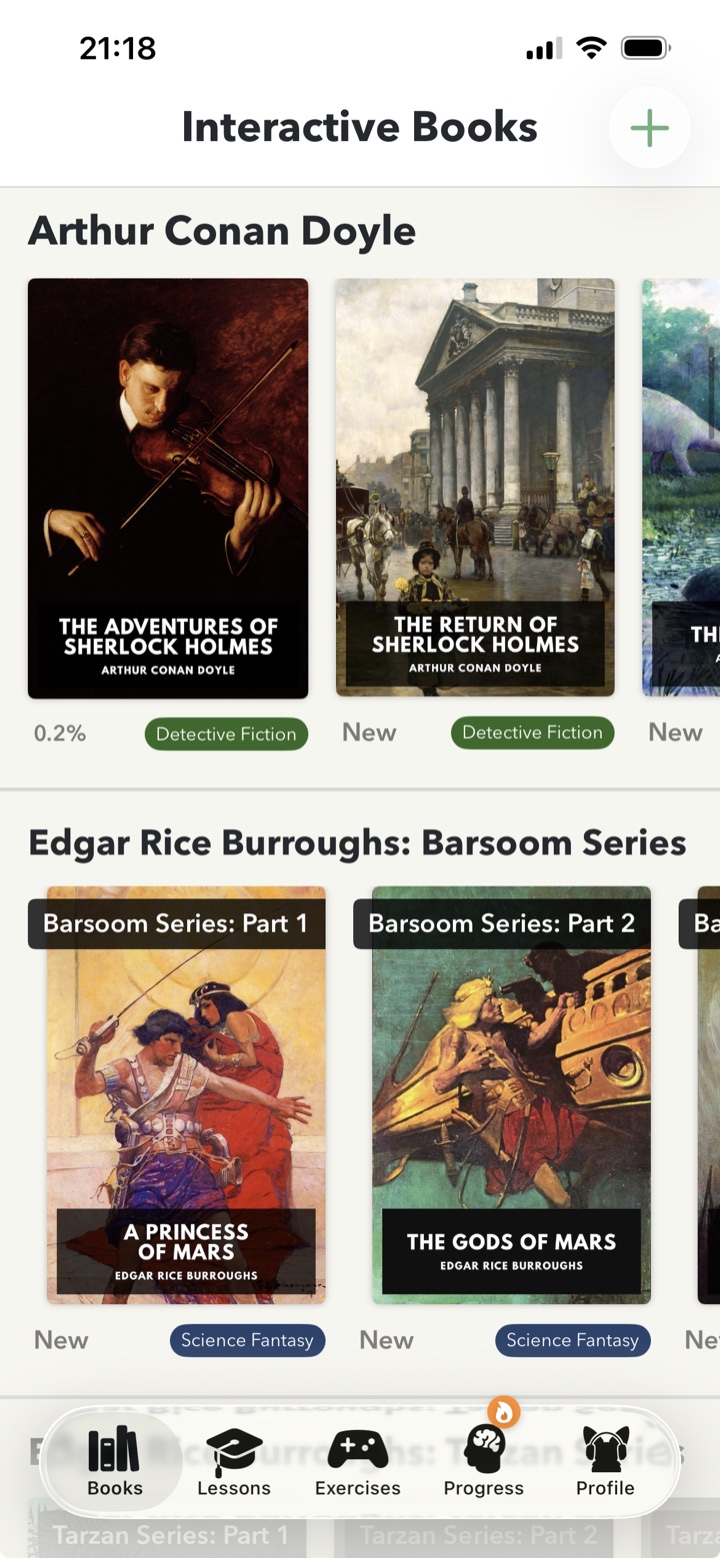
Sherlock Holmes, Tarzan, A Princess of Mars. Whole classics rather than sentences written to be practised.
The translation is already there
Each sentence is printed with its translation directly beneath it, so there is nothing to look up and nothing to interrupt you. Long-press a single word when you want that word on its own.
Hear it read aloud
Press play and the narration follows the text, so you learn how the words actually sound.
What you get when you open it
Sixty-one books, line by line
Every sentence in the original with your language directly beneath it, so you are never stranded mid-paragraph.
Read aloud to you
A built-in player reads the book while you follow along, with speed control and chapter skip.
Lessons for every level
Guided vocabulary lessons and everyday conversations, running from absolute beginner through to advanced.
Learn through play
Crossword, blitz, matching, sentence completion and more, at three difficulty tiers, so revision never repeats itself.
Your own dictionary
Save any word as you read, mark it learned when it sticks, and review the rest whenever you like.
Works offline
Download books and translation models in advance and read on a plane or the subway.
And when you close the book
Reading is the point, but it is not the whole app. There are lessons to work through, and practice at three difficulty tiers for every word you save.
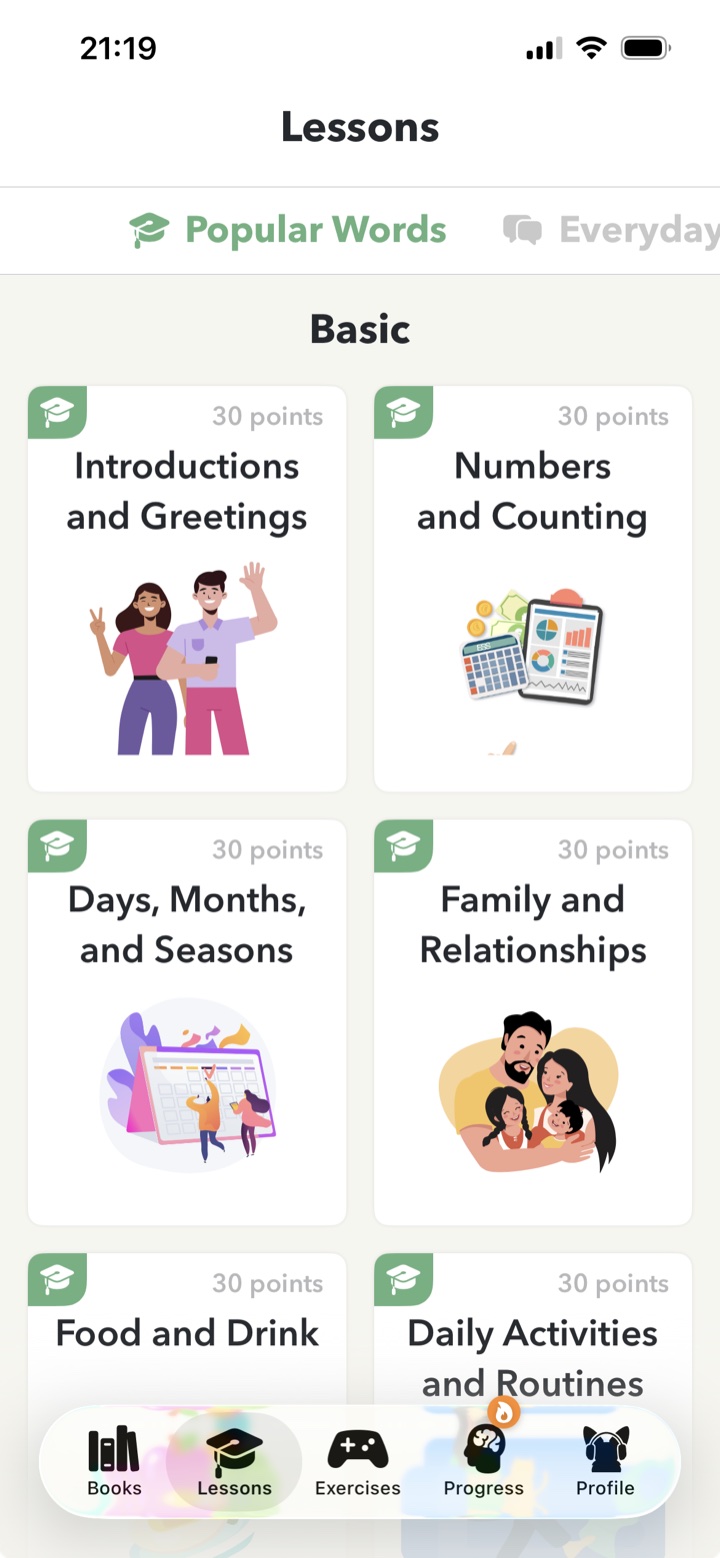
Lessons that keep going
Guided vocabulary lessons that start at introductions and numbers and run all the way out to IT, marketing and legal terminology — so the app still has something to teach once the everyday words are done.
- Introductions and Greetings
- Food and Drink
- Travel and Transportation
- Business and Economy
- IT Terminology
- Exact Sciences
- and more
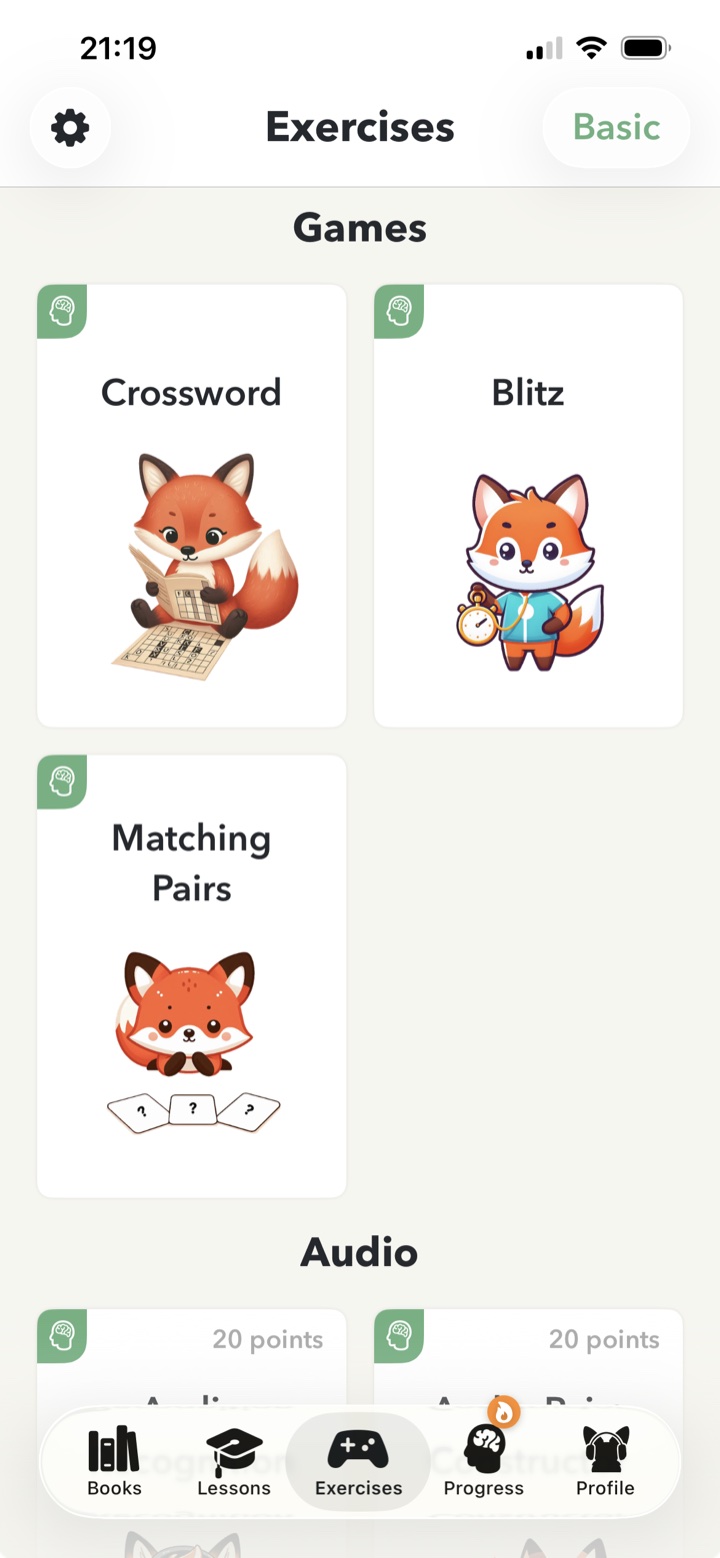
More than one way to practise
Every word you save can be drilled several different ways, at three difficulty tiers, so revision does not turn into the same flashcard for the hundredth time.
- Word – Translation
- Word Constructor
- Phrase Constructor
- Sentence Completion
- Audio Recognition
- Crossword
- Matching Game
- Blitz
- and more
Seven languages, one way to learn them
Each page below covers what reading that language is actually like, and hands you the first words with real sentences.
Lingo Books at a glance
Lingo Books is an iOS app for learning a language by reading parallel-text books. Each of its 61 books is shown as bilingual text, with the translation of every sentence printed directly beneath it, and is read aloud by a native speaker. It teaches Spanish, French, German, Italian, Brazilian Portuguese, Russian and English.
How it compares with other reading apps- What it is
- A parallel-text (bilingual) book reader with lessons and word games
- Library
- 61 books: public-domain classics and original children’s books, graded Easy to Hard
- Languages
- Spanish, French, German, Italian, Brazilian Portuguese, Russian and English
- Audio
- Native-speaker narration that follows the text, with speed control
- Platforms
- iPhone and iPad. An Android app is in testing
- Price
- Free to download. Premium is $4.99 a month, $19.99 a year, or $29.99 once for lifetime access
- Your own books
- Import EPUB, PDF, TXT, RTF or DOCX files and read them with tap-to-translate and read-aloud
- Offline
- Yes, books download in advance
- Account
- Not required
- Rating
- 4.8 out of 5 from 250 App Store ratings worldwide
Questions people ask first
What is Lingo Books?
Lingo Books is an iOS app for learning a language by reading. It shows classic books as parallel text, with the translation of every sentence printed directly beneath it, and a native speaker reads the book aloud. It also includes guided vocabulary lessons, a personal dictionary and word games.
What is a parallel-text book?
A parallel text, also called a bilingual or dual-language book, prints the original and its translation together so you can check the meaning of a sentence without leaving the page. Lingo Books uses this format for every book: the sentence in the language you are learning, then the same sentence in your own language underneath.
Is Lingo Books free?
The app is free to download and comes with stories and lessons at every level. Premium unlocks the full library for $4.99 a month, $19.99 a year, or $29.99 once for lifetime access.
What levels does it cover?
The guided lessons run from absolute beginner to advanced. The books are real literature, so the side-by-side translation is what makes them readable earlier than you would expect.
Is there an Android version?
Not yet, but it is on the way. The Android app is in testing now and will be on Google Play soon. For now, Lingo Books is available on iOS.
Do I need an account?
No. Download the app and start reading.
Does it work offline?
Yes. Download books and translation models in advance, then read with no connection at all.
Can I read my own books in Lingo Books?
Yes. Besides the built-in library you can import your own files in EPUB, PDF, TXT, RTF or DOCX format, from the Files app or by AirDrop. Imported books open in the same reader: tap a word to translate it, translate a sentence when you need it, and have the text read aloud.
Which languages can I learn?
Spanish, French, German, Italian, Brazilian Portuguese, Russian and English — seven in total.
What can I actually read?
Sixty-one books: classics by Conan Doyle, Verne, Austen, Dickens, Twain, Stevenson, Christie and others, plus a set of original children’s books written for the app. Every one is graded by reading difficulty, from Easy to Hard.
Read your first story today
Free on the App Store. Ten minutes of reading a day adds up faster than you would think.
Scan to install on your iPhone